BarSQL
A local-first desktop SQL client for PostgreSQL, MySQL/MariaDB, SQL Server, ClickHouse, Turso and SQLite: a schema-aware SQL editor, streaming results with grid editing, query plans, ER diagrams and schema compare, with no account and no telemetry.
Overview
BarSQL is a local-first desktop SQL client for PostgreSQL, MySQL, MariaDB, SQL Server, ClickHouse, Turso/libSQL and SQLite, on Windows, macOS and Linux. It is written in Rust with GPUI and GPUI Kit, including GPUI Kit's code editor with tree-sitter highlighting. There is no cloud service, no account and no telemetry.
A SQL editor that knows your schema
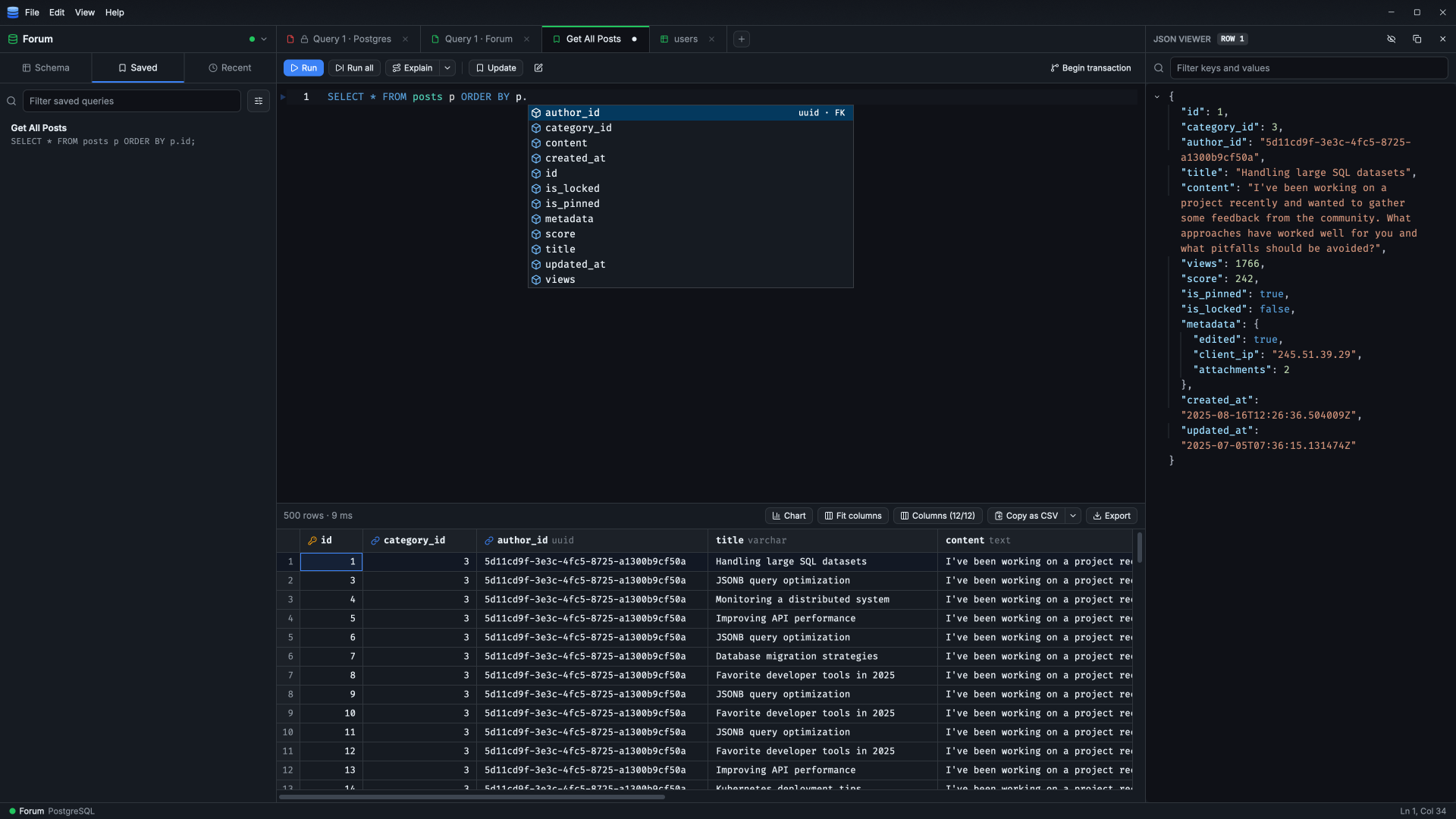
Completion is fuzzy and context-aware, follows aliases and CTEs, and quotes identifiers the way each engine expects. Each dialect's built-in functions complete too, along with the server's own, with their signatures on hover. The editor has VS Code-style multiple cursors and line commands, go to definition, SQL formatting and named query parameters. When a statement fails, the word at fault is underlined, and if the schema has a close match, BarSQL offers to swap it in.
Multi-statement scripts run in order on one connection, and each result set or query plan gets its own tab. On engines with transactions, a tab can hold one open across runs. An UPDATE or DELETE without a WHERE asks before it runs, and notices, warnings and PRINT output appear in a Messages tab.
Results you can edit
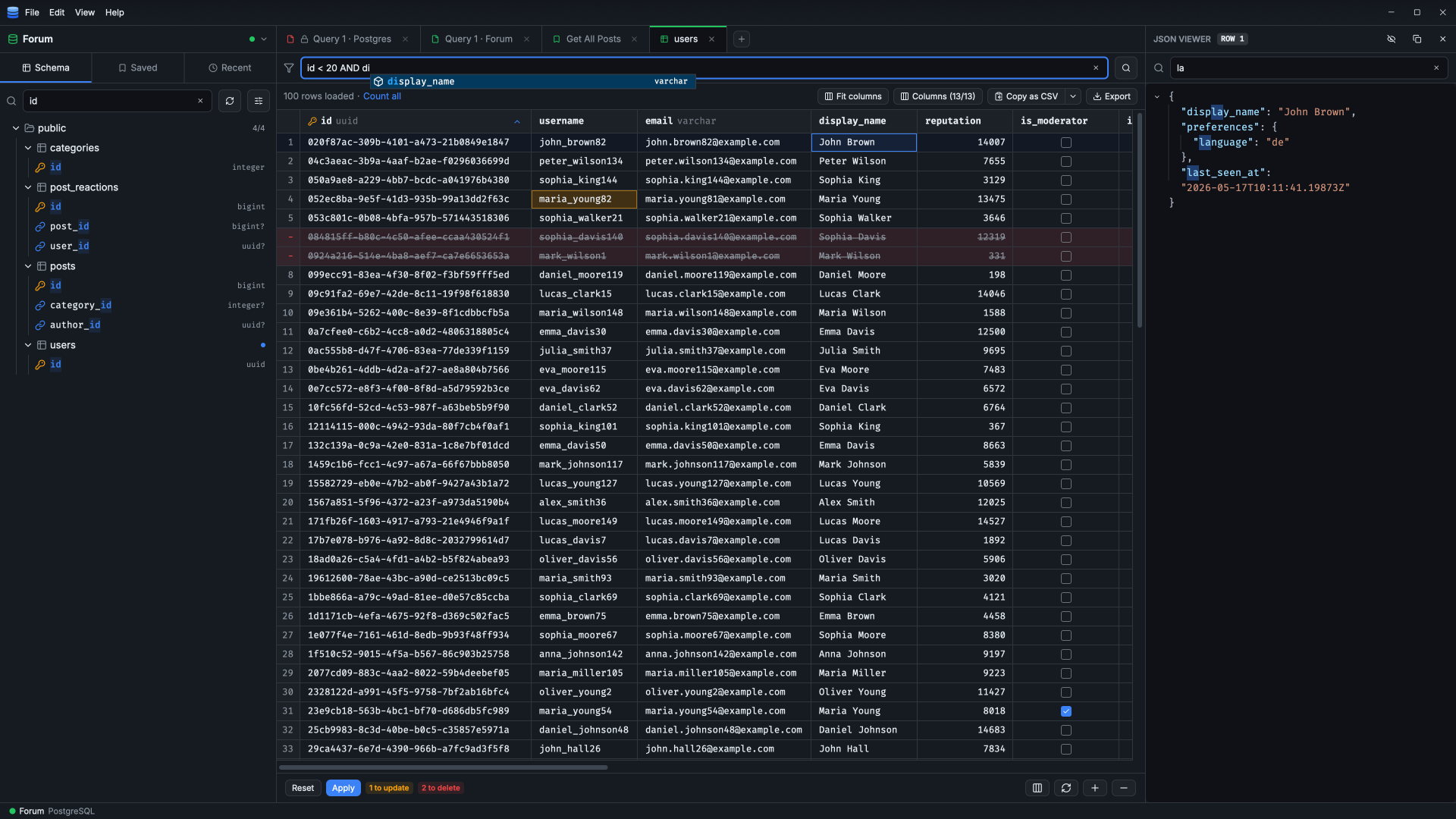
Rows stream in as the driver yields them, into a virtualized grid that stays smooth over thousands of rows. Cells edit in place, in a table or in the results of a single-table SELECT that includes its primary key. Changes are staged and can be undone until you apply them. Foreign keys can be followed to the row they point at, and JSON is parsed in a side viewer that stays synced to the focused row. ClickHouse tables are browse-only.
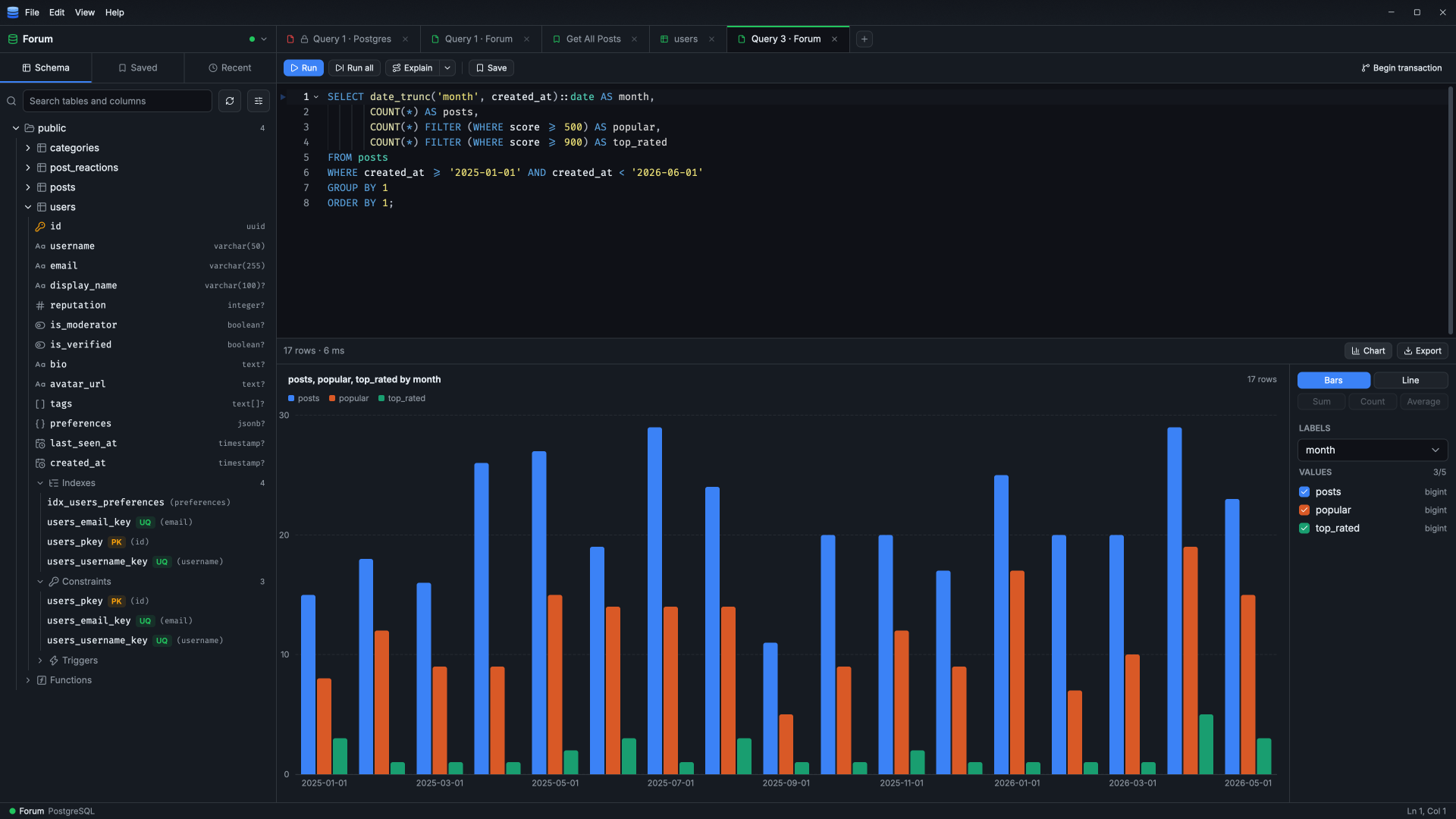
Any result can be plotted as a bar or line chart, and selected cells show their count, sum, average, minimum and maximum in the status bar.
Find out why a query is slow
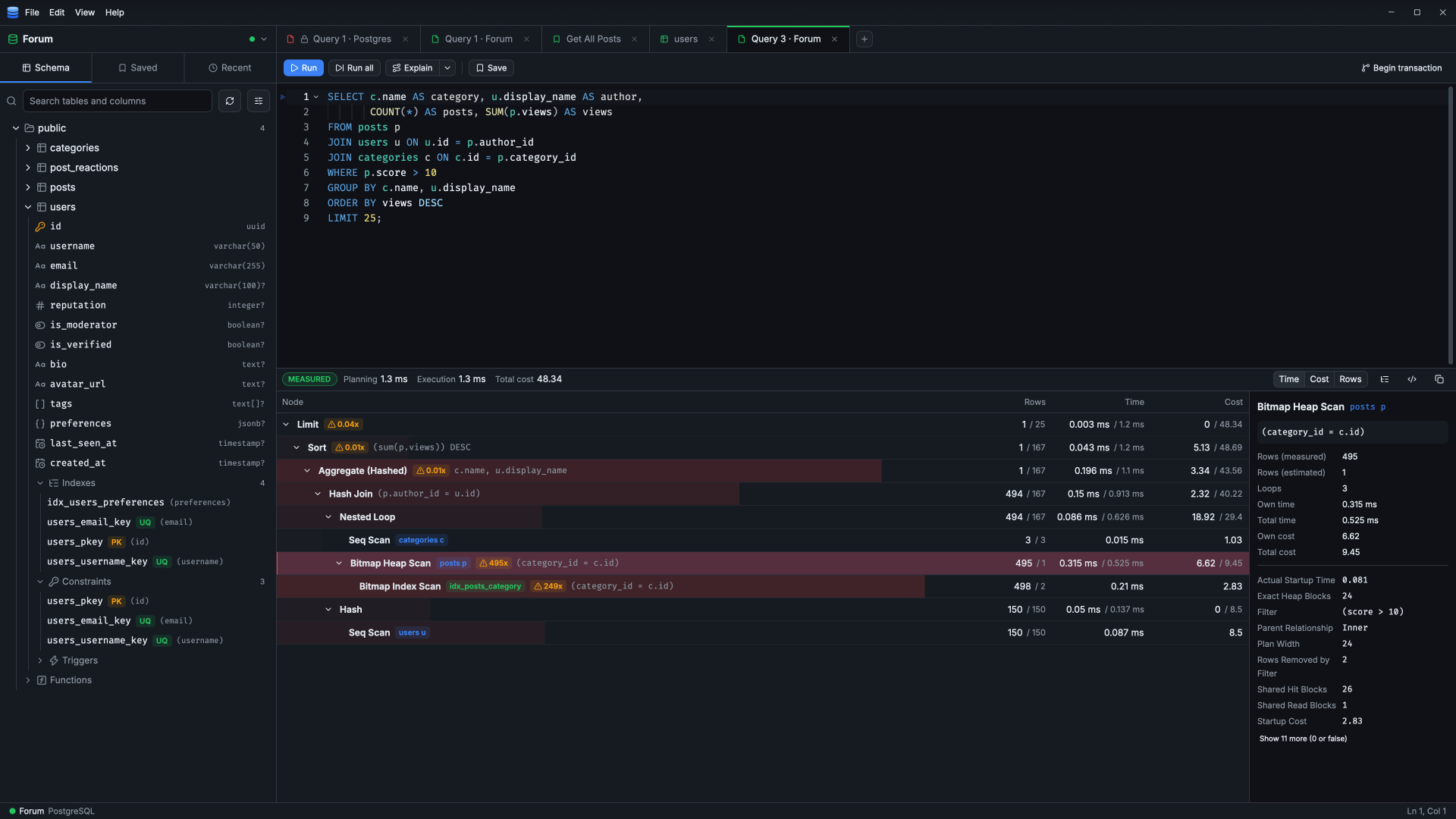
Explain and Explain Analyze draw every engine's plan as one tree, with a heat map of each node's share of time, cost or rows where the engine reports them. Own and total figures sit side by side, and row estimates that are ten times off are flagged. For live problems, system views show server activity, blocking, sessions and table statistics.
Work with the schema
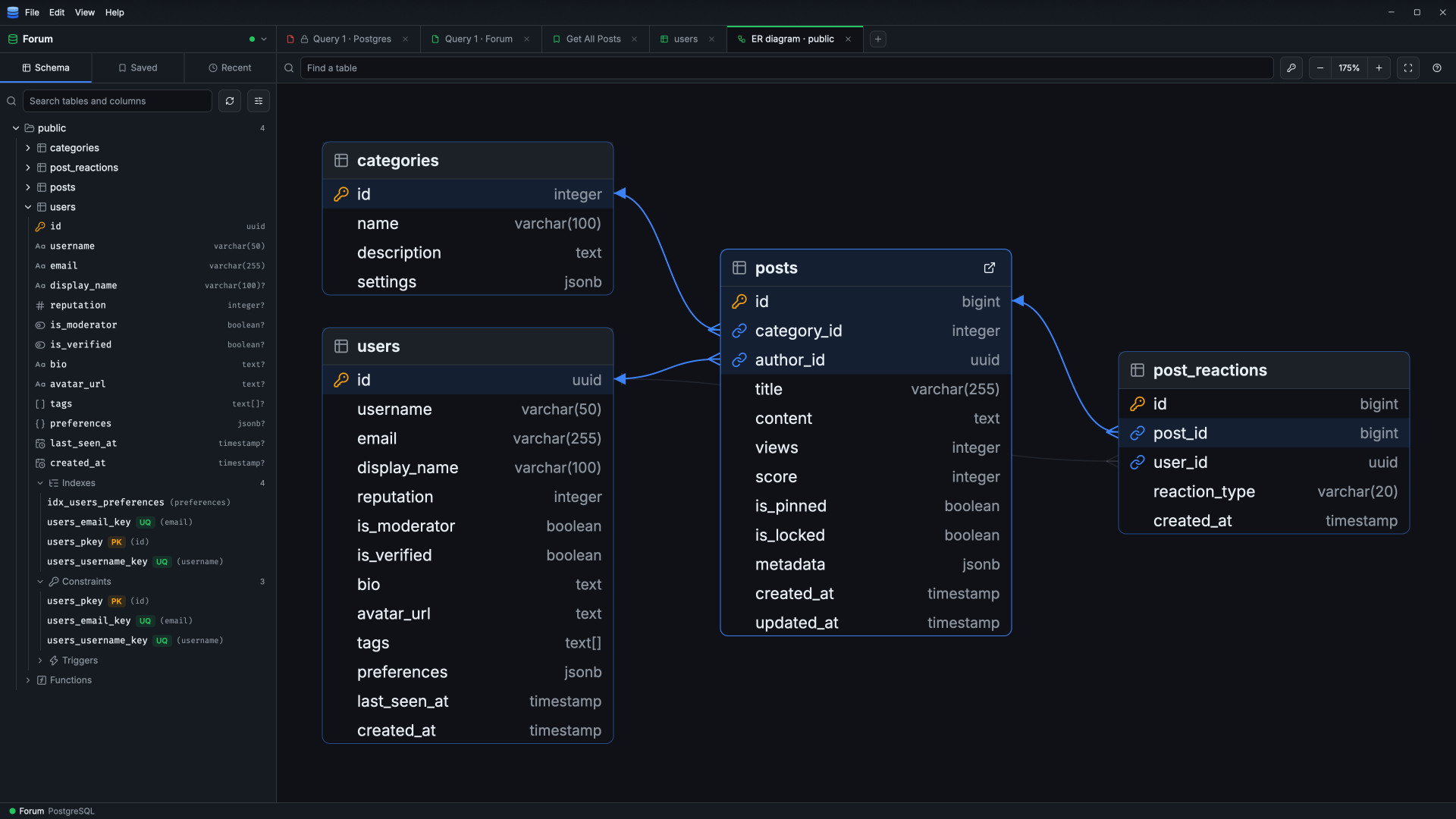
The schema tree goes down to indexes, constraints and triggers. Tables and columns can be searched instantly, and any object's DDL is one click away. An ER diagram lays out a whole schema, and Compare Schema finds the differences with another schema or database of the same engine and writes the script that syncs them. The Structure editor changes columns, indexes, foreign keys and checks, and shows the exact SQL before it runs. Tables can be renamed, truncated, dropped and backed up to a SQL file from the tree.
Import and export
CSV import detects the delimiter, maps columns, and loads into an existing table or a new one with inferred types. SQL scripts run with a progress bar instead of thousands of result tabs. Results export as text, CSV, JSON, Markdown or SQL INSERT statements written for the connection's engine.
Careful with production
Read-only connections are blocked in the app and again inside the driver session, and PostgreSQL, MySQL, SQLite and ClickHouse sessions refuse writes in the database too. An Ask before changes option confirms every statement that changes data or schema. Connections support SSL or TLS where the engine offers it, and SSH tunnels with a private key, a password or an SSH agent.
AI assistants over MCP
AI apps such as Claude, Cursor and VS Code can read a database through the Model Context Protocol. Access is opt-in per connection, queries are read-only unless you also allow changes, and the AI never sees a connection's password or token. Every call is logged.
Native and portable
BarSQL's connections, history, saved queries and settings live in one folder that can move to another machine with the app. It has dark and light themes, a command palette, Quick Search, remappable shortcuts, and English, German, Bulgarian and Spanish translations. It updates itself from inside the app, with a checksum-verified install.