VT Code
A terminal-first coding agent for your repository with a native macOS app built on GPUI Kit. Explore, plan, edit, and verify with your model of choice, backed by auditable tool calls, sandboxed commands, and resumable sessions.
VT Code
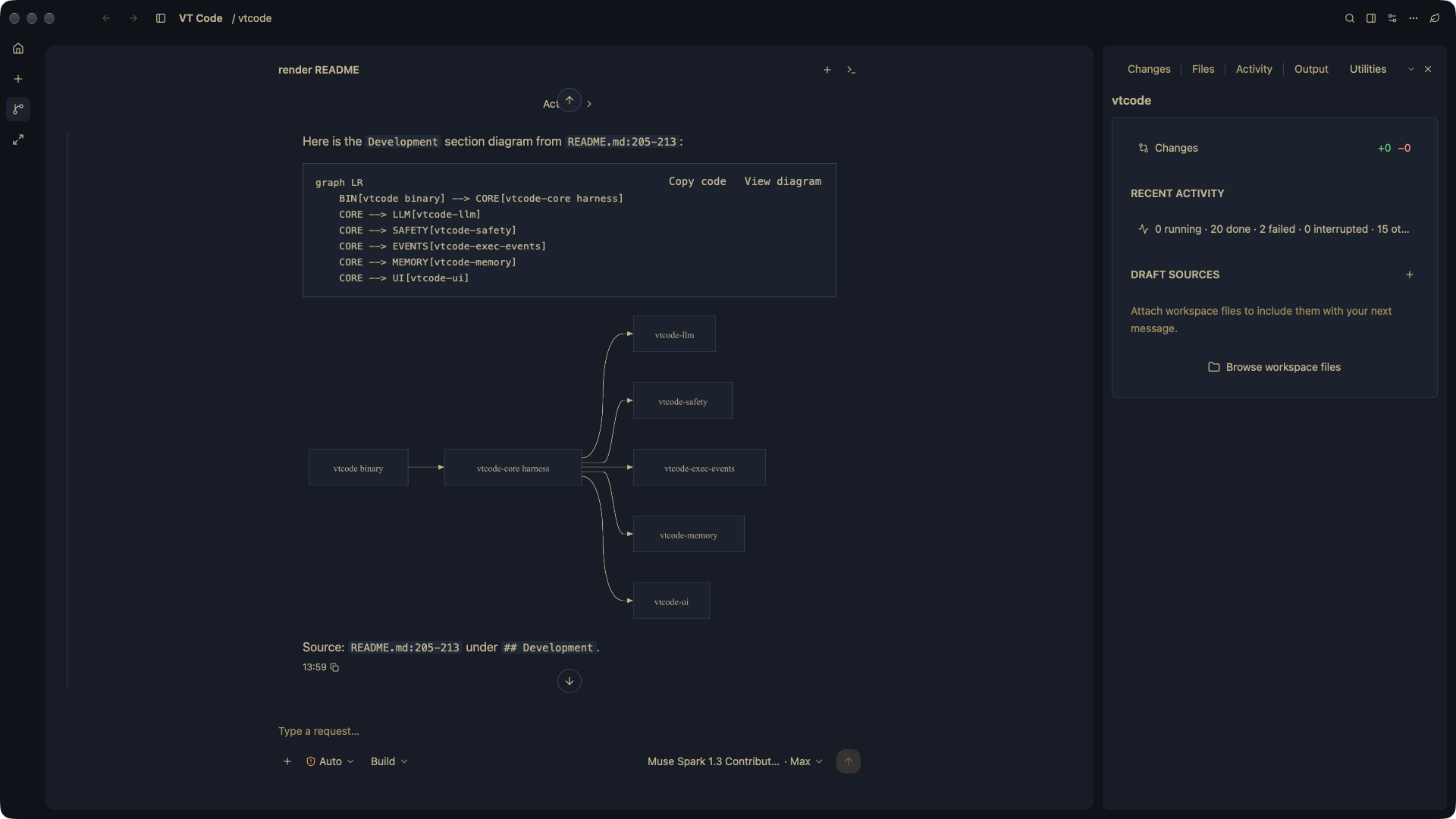
VT Code is a terminal-first coding agent for your repository, with a native macOS desktop workspace written in Rust on GPUI Kit. The app is a client for the local VT Code service: model calls, tool execution, permission policy, and durable session history stay in one shared runloop, so a task can start in the desktop window and continue from the terminal.
Conversation workspace
The main window pairs a conversation transcript with a navigation rail, a collapsible thread sidebar, and a context inspector. Agent messages, tool summaries, file-change cards, and inline diffs form one continuous timeline, and any tool row expands into its captured output. The inspector switches between Changes, Files, Activity, Output, and Utilities, with a per-session activity summary, recent tool counts, and draft source attachments that ride along with the next message.
Planning and verification
Plan mode keeps exploration read-only until you approve a plan, then the turn moves into edits with a reviewable diff before anything is finalized. A command policy governs what the agent may run, with sandboxed execution, explicit approvals for sensitive actions, and a visible record of every command and its result. A verification pass re-reads failing output and revises the approach instead of repeating it.
Models and integrations
Each session can use a hosted or local provider, and the model picker exposes the context window and effort for the current choice. Workspace mentions pull files into the prompt, slash commands map to session controls and settings, and MCP servers, skills, plugins, and editor bridges extend what the agent can reach.
Appearance
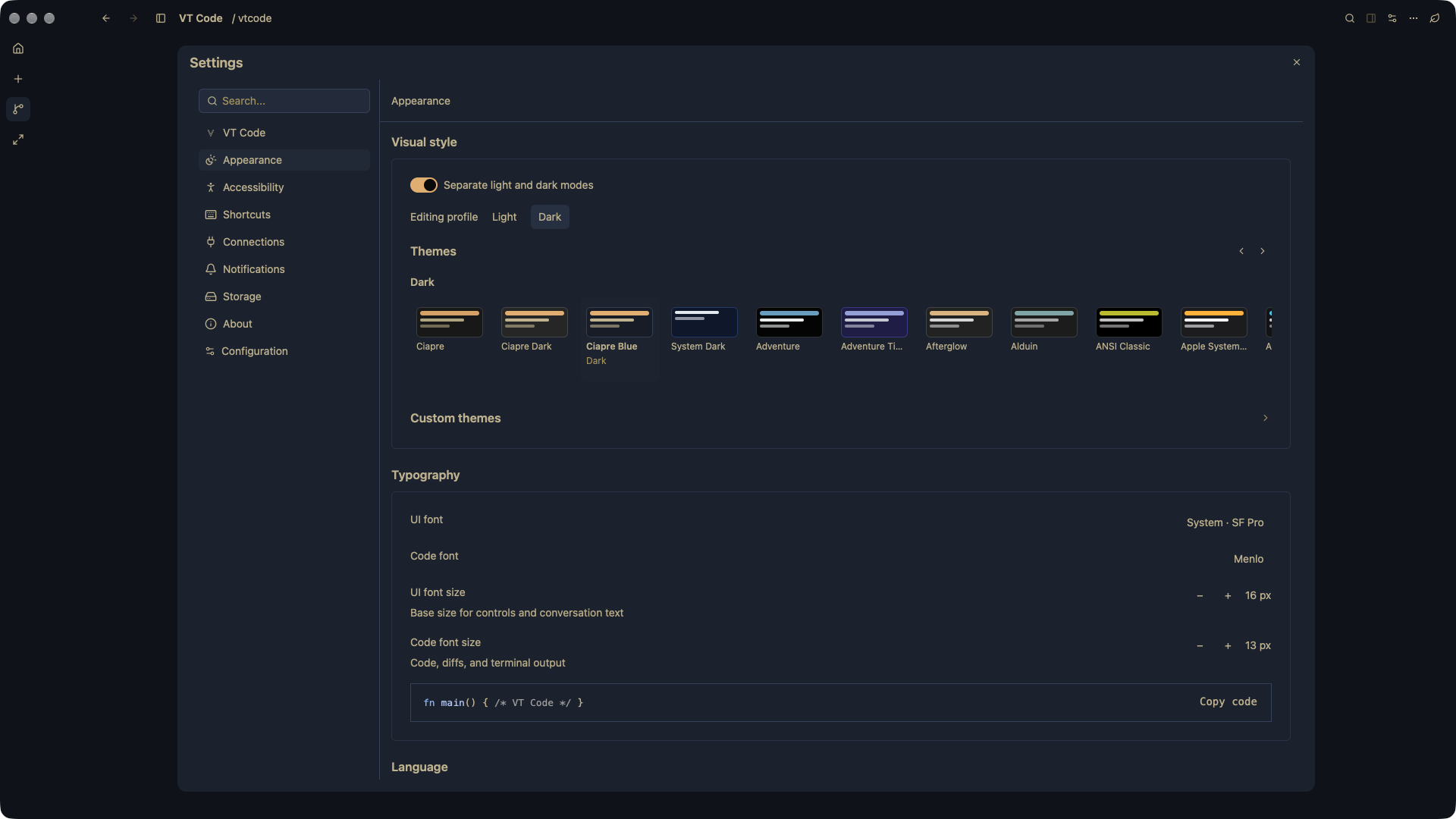
Light and dark themes, a customizable theme gallery, separate typography for interface and code, and a configurable keyboard shortcut set make the workspace easy to tune. The settings window covers appearance, accessibility, shortcuts, connections, notifications, storage, and the live CLI configuration.
Sessions
Conversation history is durable and searchable. Sessions resume with their tool output and resume state, back and forward navigation moves through recent workspaces and threads, and background notices for completed runs or pending questions keep long tasks visible while the window is in the background.